
Pick the meter you have — an EKM Push system or a Rainforest Eagle — and follow the setup below.
Wattvision connects directly to your EKM Push account — no software to install, no computer left running. Enter your Push User Key and a Meter ID, and readings flow into Wattvision automatically, updated every minute.
Watch live usage, browse daily and monthly history, set alerts, and turn submeter readings into tenant-ready PDF bills — on the web or your phone.

Sign up at wattvision.com and start a 30-day free trial.
Choose EKM Push as the sensor type when you add your site.
Add your EKM Push User Key and Meter ID. Wattvision pulls readings from the EKM Push cloud every minute from then on.
Works with all Omnimeter versions — including the newest Omnimeters and the Push3 gateway. Several meters on one Push? Each meter becomes its own Wattvision site, with its own dashboard, history, and bills.
Don't have a meter yet? Buy a Complete Metering System from EKM
This is a real EKM meter reporting into Wattvision right now — a home with two occupants and an electric vehicle. The graph updates every 15 seconds.
Every Wattvision site can be embedded the same way. Find the code on your site's Widget tab.
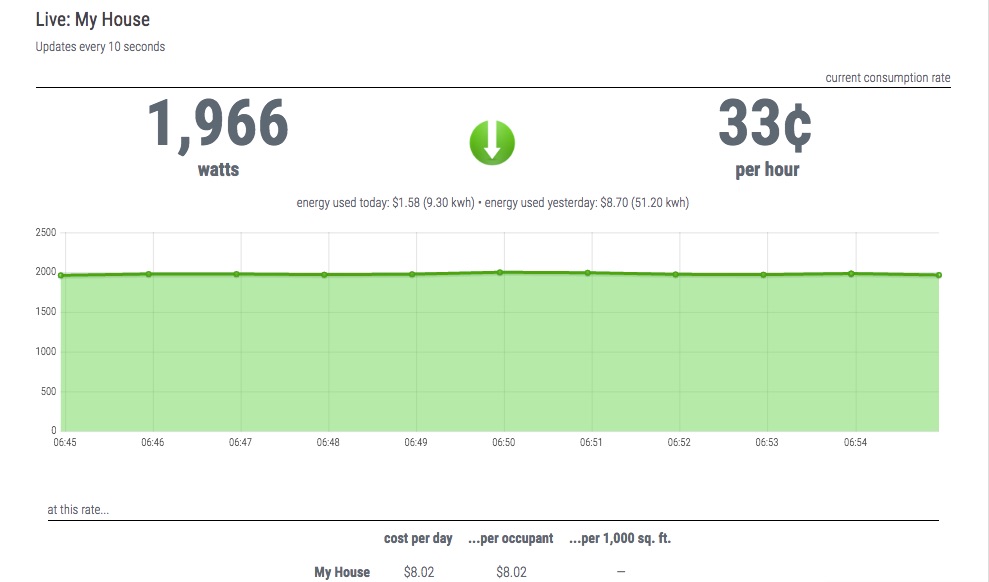
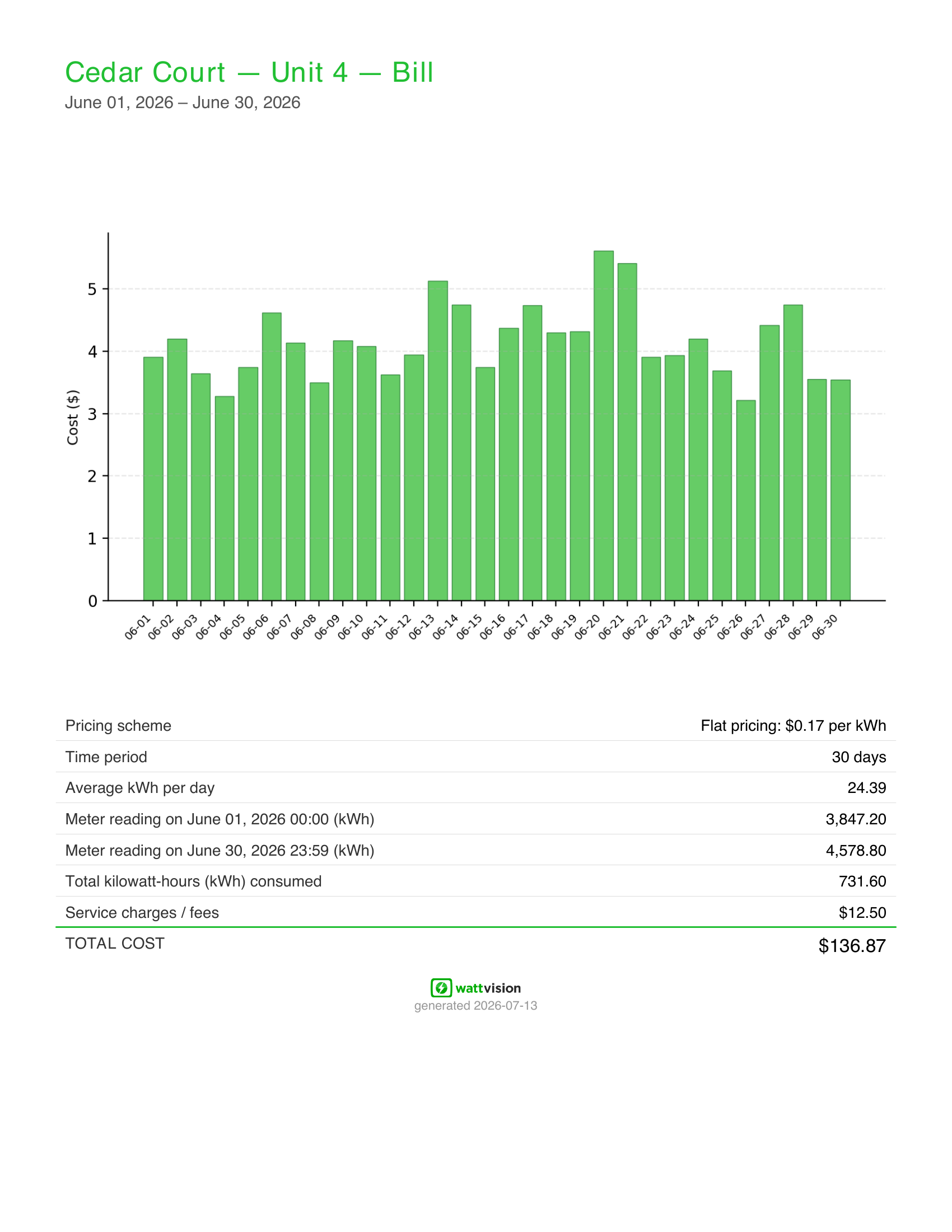
Wattvision generates professional PDF bills straight from your EKM submeter readings — ideal for apartments, marinas, RV parks, and commercial tenants.
Try Wattvision free for 30 days. Plans start at $9/month or $79/year and include your first site — see pricing for multi-site details.
Wattvision and EKM Metering have partnered since 2010. ← Back to the EKM Push App Store
The Rainforest Eagle connects to your compatible electric utility meter wirelessly and uploads data to Wattvision automatically.
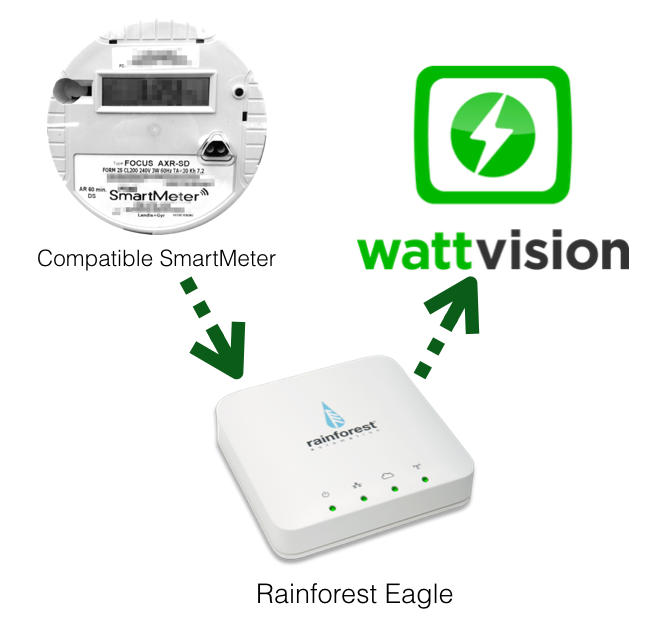
Here's how to configure your Rainforest Eagle to upload to Wattvision:
00AA33) as a Sensor in your Wattvision account.Set up a custom uploader on your Rainforest Eagle with these settings:
| Label | Wattvision2026 |
|---|---|
| Protocol | HTTPS |
| Hostname | www.wattvision.com |
| URL | /rf/<your_cloud_id> |
| Port | 443 |
| Username | (leave blank) |
| Password | (leave blank) |
| Format | JSON |
More information on custom endpoints: Rainforest Custom Uploaders Guide