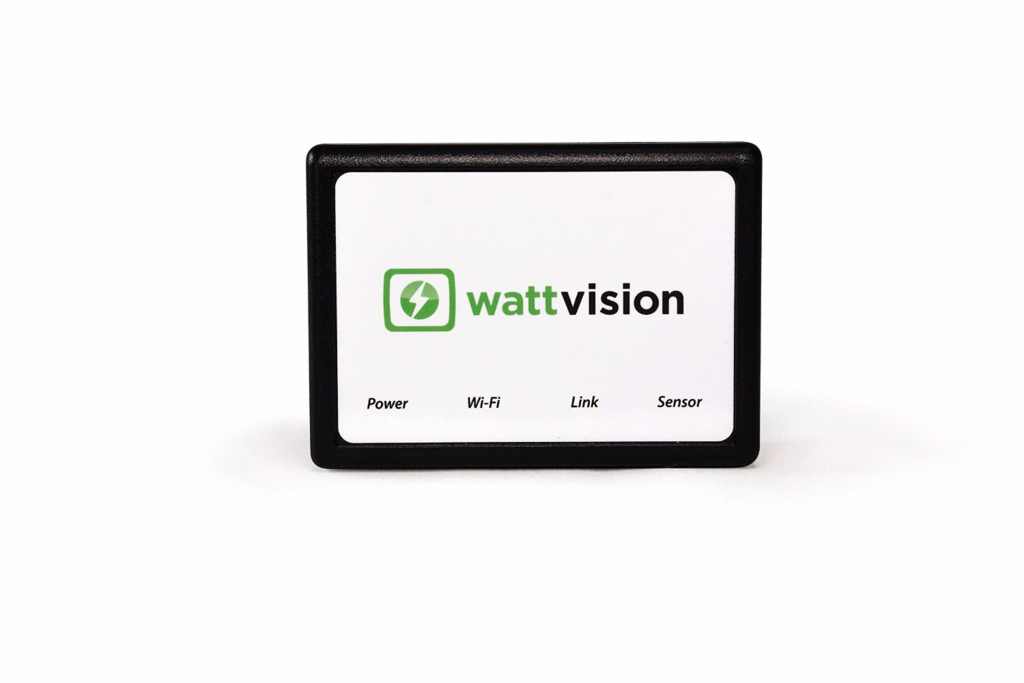
This guide will help you choose the right wattvision sensor for your electricity meter -- you'll be saving money on energy in no time! If you're not sure what sort of electricity meter you have, please send a photo to info@wattvision.com and we'll reply promptly. Or contact us in the chat box at bottom right.
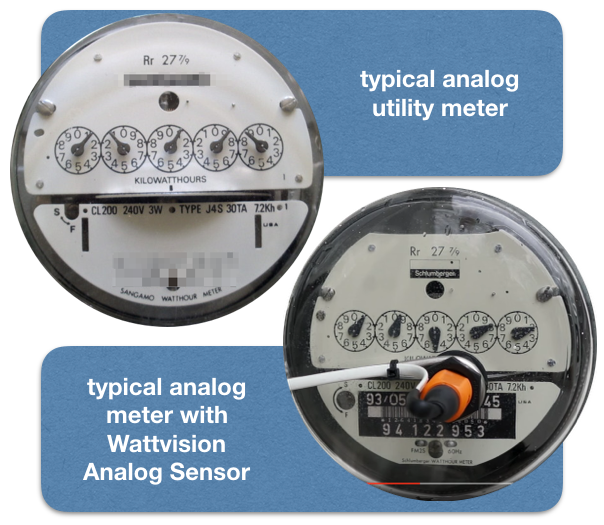
Your meter is analog if it has:
Yes, I can see the rotating platter, and it is within one inch of the meter's face.
Purchase our Standard Analog Sensor
No. If you cannot see the rotating disk from the front, or it’s too far back and deep within the meter, you need our commercial-grade side-mount analog sensor with adjustable sensitivity. Note that this sensor needs additional shielding if you plan to use it outdoors.
Purchase Side-Looking Analog Sensor
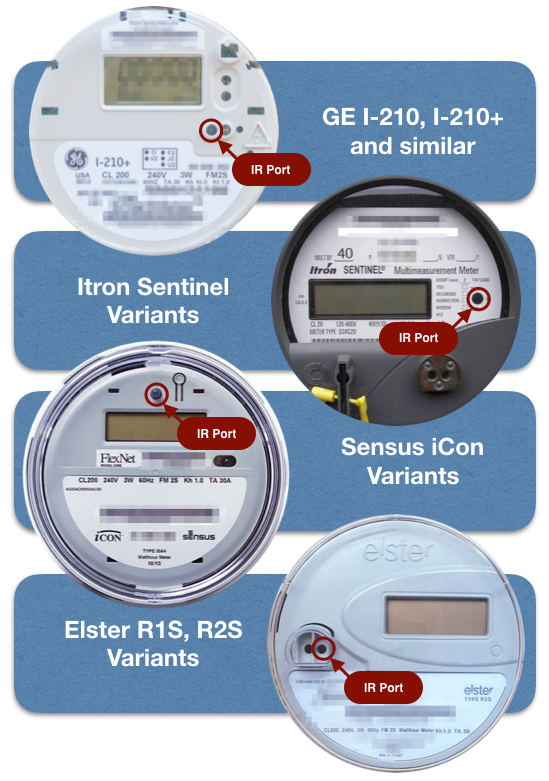
Our sensors read the “test pulse port,” “watt hour pulse port,” or “infrared pulse output port” on these meters. For some meters, this is the same as the infrared serial communication port. See below for a match for your meter.
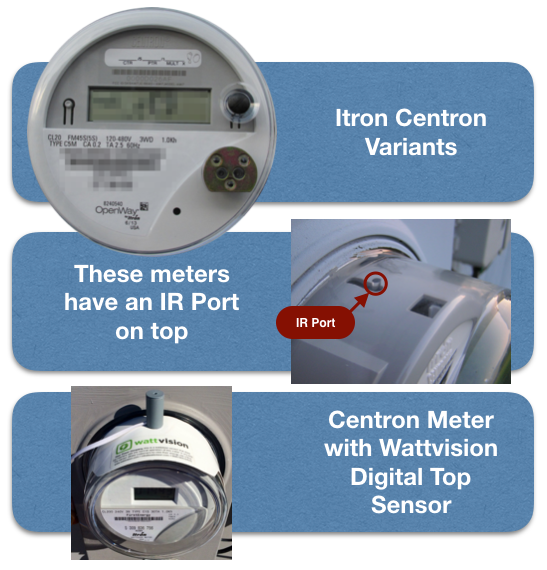
Itron C1, C1S, C1SR, C1ST, C2S, C2SR, C2ST…X... (and other similar looking Itron / Centron / Schlumberger meters). These meters have an IR Pulse Port on top.
Purchase our Digital Sensor, Top Mount
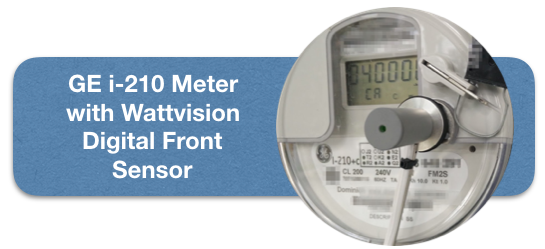
GE I-210, I-210+, and similar.
Purchase our Digital Sensor, Front Mount
Itron Sentinel variants. IR port marked “Test IR LED.” Purchase our Digital Sensor, Front Mount.
Purchase our Digital Sensor, Front Mount
iCon Variants. IR port is the black dot at 12 o’clock on the meter face. Purchase our Digital Sensor, Front Mount.
Purchase our Digital Sensor, Front MountElster Meters (R1S, R2S, and variants). IR pulse port is the port closer to the center of the meter at 9 o’clock on the meter face. Purchase our Digital Sensor, Front Mount.
Purchase our Digital Sensor, Front Mount
Elster Meters (R1S, R2S, and variants). IR pulse port is the port closer to the center of the meter at 9 o’clock on the meter face. Purchase our Digital Sensor, Front Mount.
Purchase our Digital Sensor, Front Mount
Focus KWH Meter. Presently not compatible with Wattvision 1 or 2. Contact Us
GE KV2CS Meter. Presently not compatible with Wattvision 1 or 2. Contact Us
Elster E3ATL Meter. Presently not compatible with Wattvision 1 or 2. Contact Us
Wattvision can still work for you, with our pulse input adapter. If you ask your power company to install a “pulse output port” for your existing utility meter, or you install a submeter from one of partners, we can gather data via our pulse input adapter. Contact us for more info.
Purchase our Pulse Input Adapter
Copyright © 2013 Aerodyno Inc. All rights reserved.
Patents pending.